IBC2026

11–14 September · Meet us at stand 6.C11

Title Image

Blog

Fall Update

Embrace – Fall Update. What changed in how you run media operations

Embrace is the operating layer for media. We bring people, technology and processes together, so you can operate on your terms. This year the product really aligned to this, in two updates, one in spring and one in the fall, and read together they make a single argument: an operating layer is where decisions get made while the work is running, and the more of that work a machine does, the more of it you need to see and understand.
Five areas shaped both updates, ordered by how much they change your week.

AI on your terms

AI moved, as an integral part, inside Pulse-IT. It writes a workflow from a plain-language description, generates an operator form from a prompt, documents a sequence at the moment you build it, and diagnoses a failed job from its state and running time. Useful, and every vendor at IBC will show you something similar.
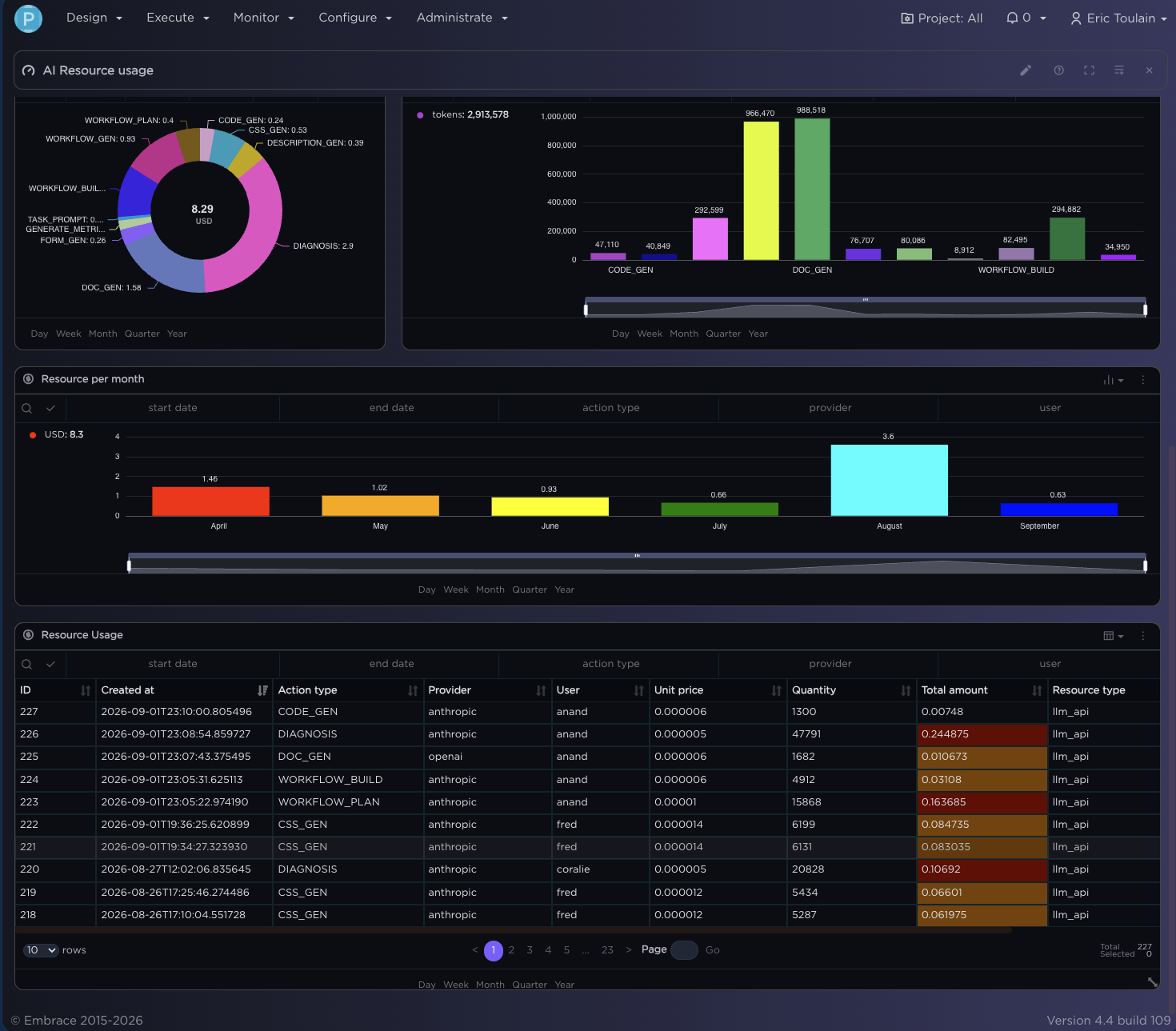
The part that isn’t similar is the administration screen behind it. Each AI action has its own model setting, so workflow generation can run on one provider and diagnosis on another, with thinking depth set per action. Six providers are supported, including Bedrock and Ollama for teams that need the model inside their own perimeter, and switching does not mean rebuilding anything. Every call is logged with provider, model, tokens, who triggered the call and cost in dollars, and a resource dashboard breaks that down by day and by action. Storage cost has always been on an invoice, now the AI cost is too.

The Resource Usage dashboard: daily AI cost, cost per provider, cost per AI action. This is the hero image for the whole piece. It makes “known cost, no black hole” visible in one frame. Crop to the four widgets. Needs re-capture on a clean environment — the current one shows real provider spend.
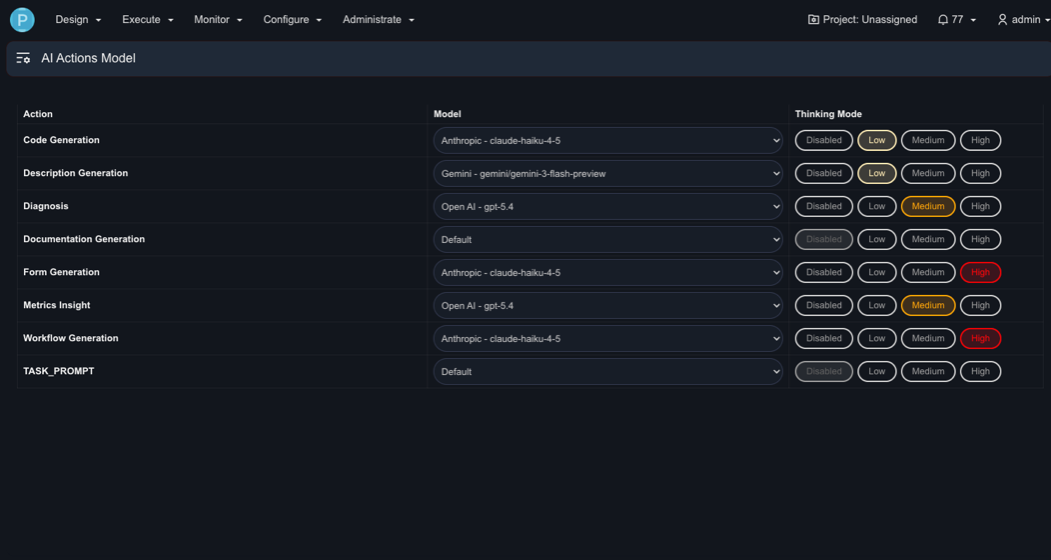
 

AI Actions Model screen: action / model / thinking mode. Second-strongest image. It shows the operations team holding the dial. Crop tight on the table.
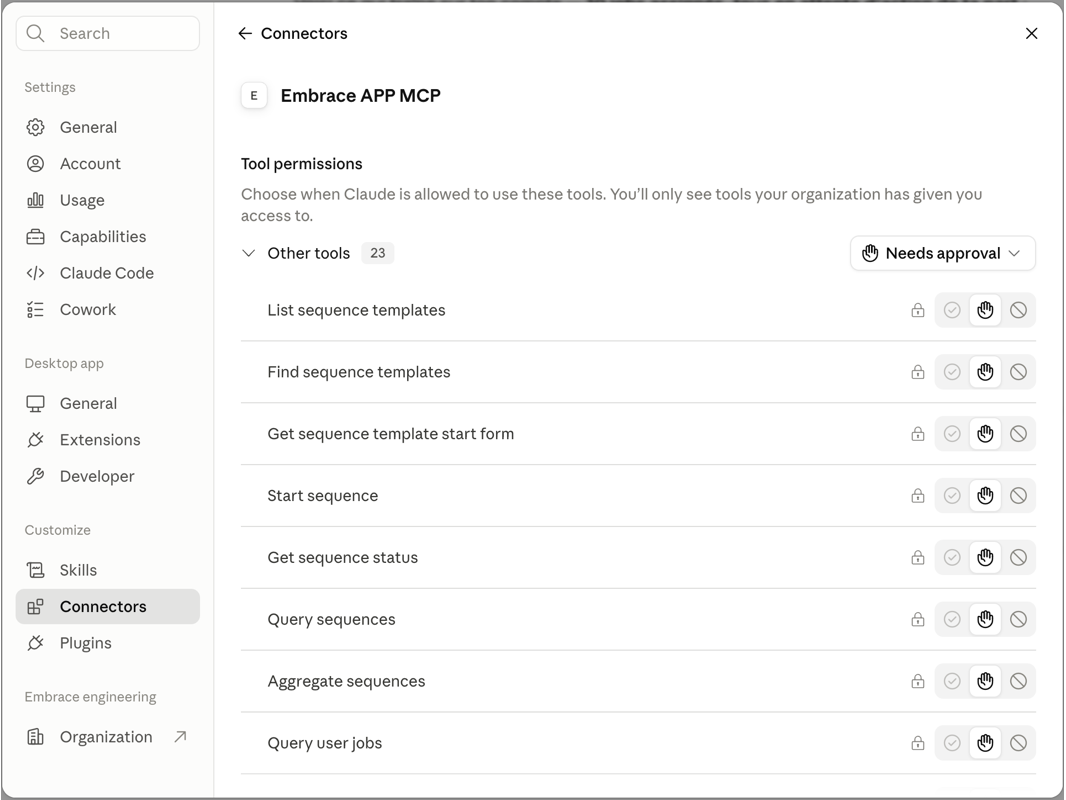
The fall update opens the other direction. Pulse-IT now ships an MCP server with 28 tools covering sequences, workflows, user jobs, metrics, simple tables and system health. Any MCP-compatible assistant can generate a workflow, query what is running or start a sequence. It can also send you a scheduled report on platform health. Permission is set per tool, so an assistant that reads your metrics does not automatically get to start anything, and every AI-driven action lands in an audit trail.
The direction is clear. First we governed the AI we put inside the platform. Then we let outside AI in, under the same rules. The operations team holds the dial in both cases.

MCP connector permission list (tool-by-tool toggles). Crop to the permission panel only; the chat window on the right is optional. Scrub node names.

See it while it runs

First we let workflows trigger on data. Any change to a row in a Simple Table can start a workflow, with row-level access control and conditional styling so a cost overrun or a stuck status shows up in colour before anyone goes looking for it.
The we added the view. A real-time widget surfaces errors, messages, transfers and pending events by the sequence or workflow that caused them. Log configuration lives in one place across sequences and embedded workflows instead of per-object settings that drift apart over a year. The graphers were rebuilt with multiple axes, goal lines, event markers and a KPI widget carrying trend and percentiles.

Detection time is the whole point.

Knowing a job failed at 03:00 matters far less than knowing how long it took before somebody accountable found out.
Priority now travels with the job. It can be set outside a sequence or through the API, and a priority change fires an event that triggers its own workflow, which can push the new priority out to whatever downstream systems need to know. Something changed at 14:20 on a Tuesday, and the systems downstream found out at 14:20 rather than the next morning.

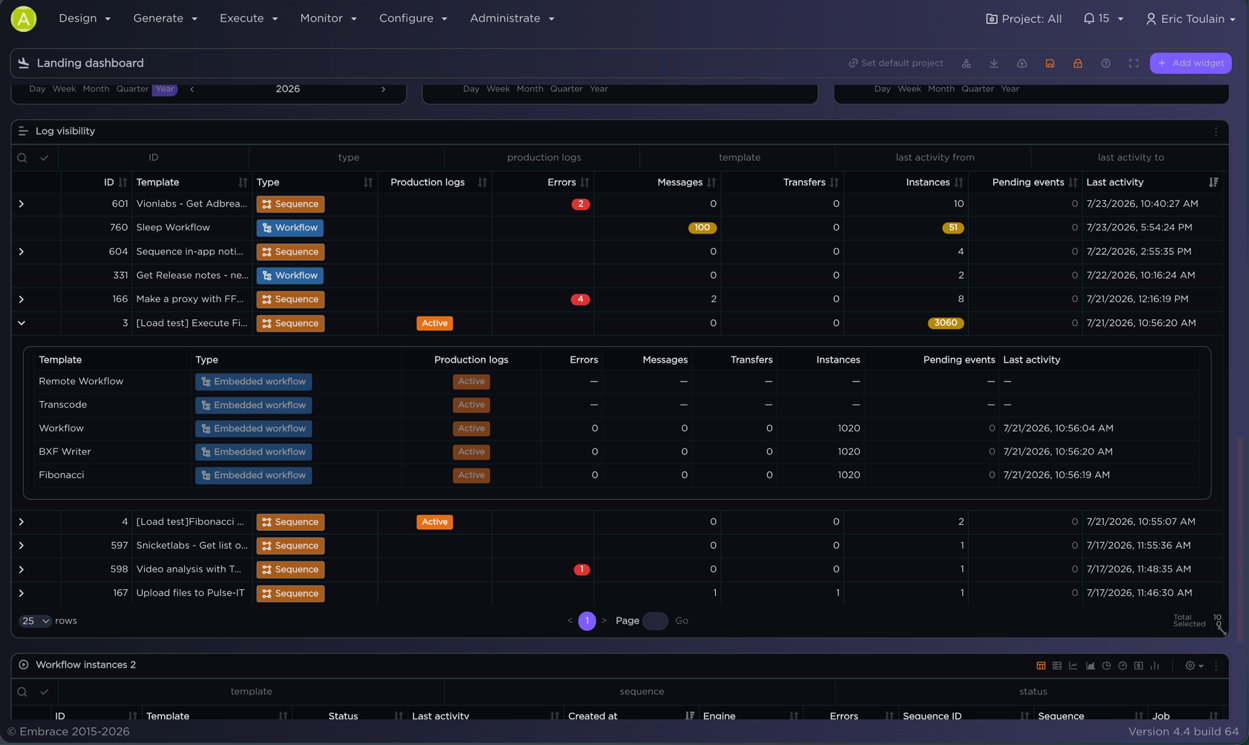
Logs-visibility widget on the landing dashboard, error counts against named templates. Use the widget crop, not the settings table.
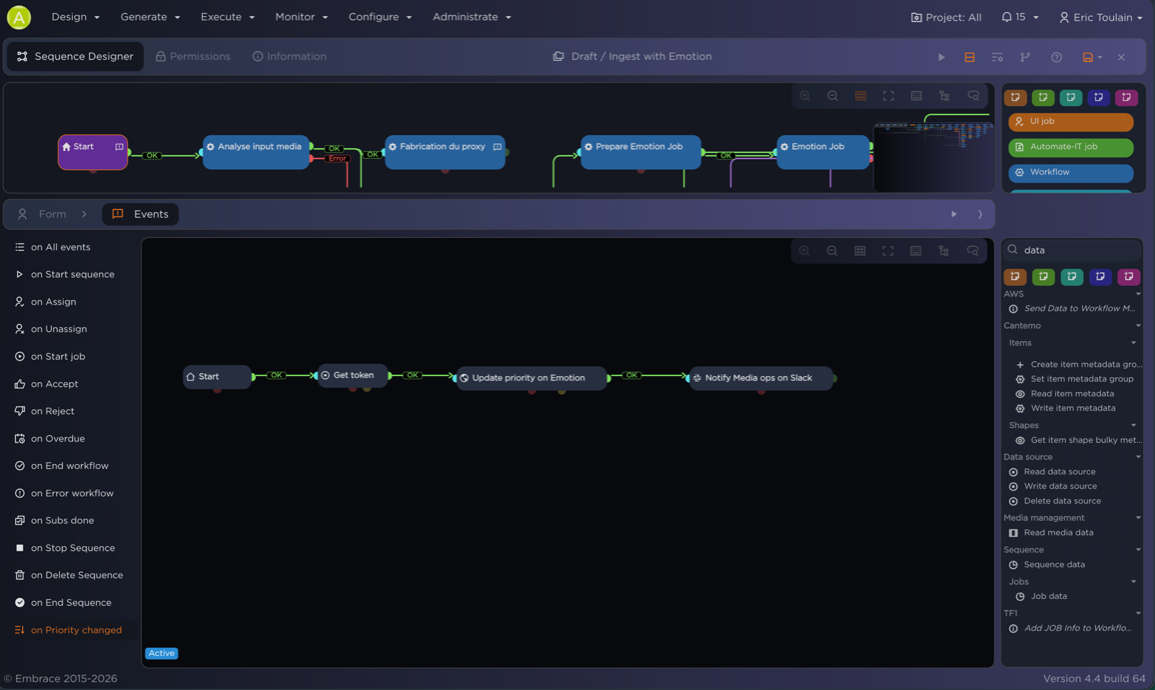
Events panel with “on Priority changed” highlighted, next to the small workflow that updates Emotion and notifies media ops in Slack. Crop to show trigger and consequence together.

Build faster
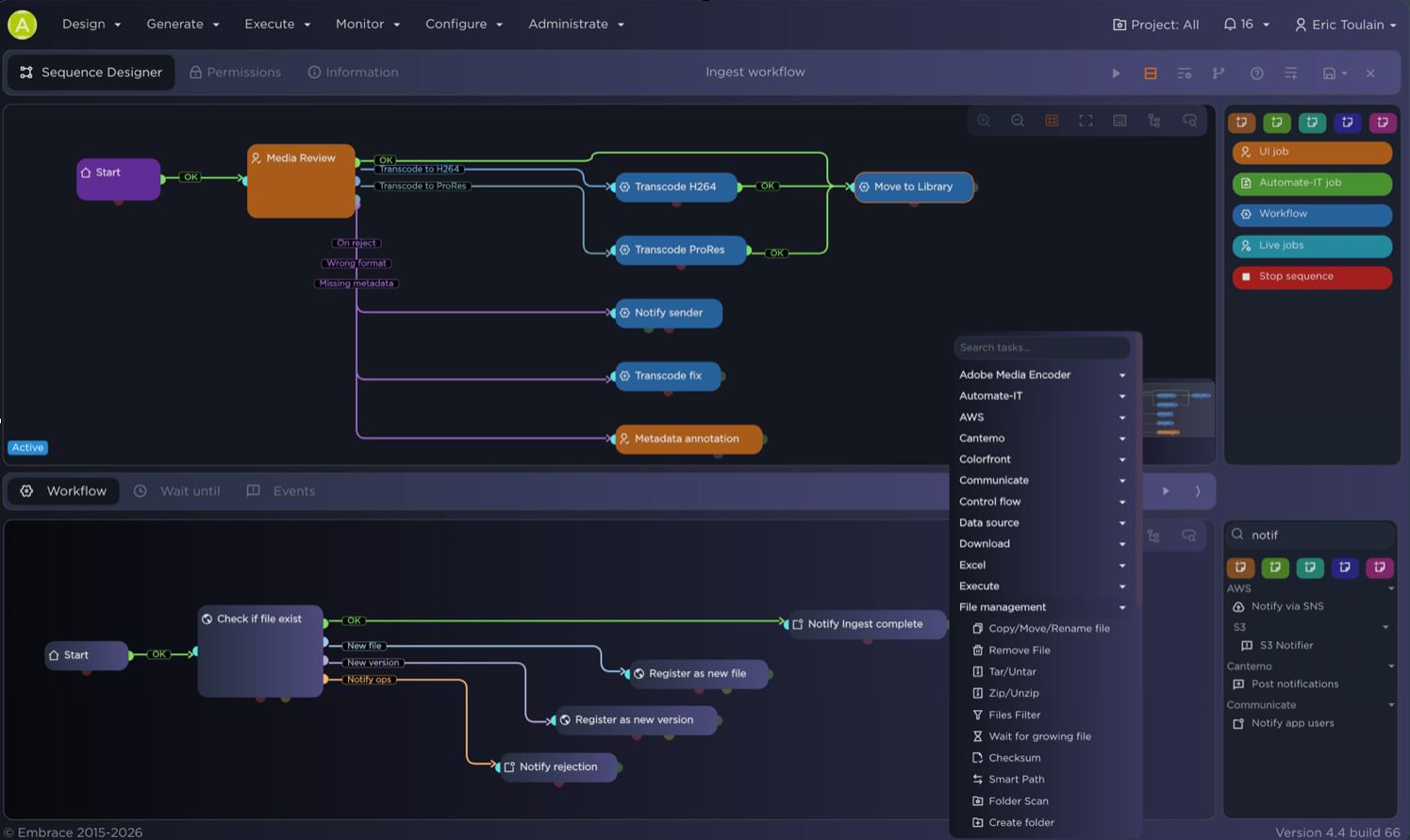
For the people building sequences, it’s all about friction, or rather removing it. Variable autocompletion, saved filters, customizable ports and links, and versioning with side-by-side comparison and rollback, so last week’s change can be compared and undone without archaeology. We’ve also added a widgets drawer with thumbnails, a right-click menu, drag and drop that shows where the thing will land.
Dashboards are governed now too: a central list of every dashboard that exists, with access control on who can view or edit each one, which matters more than it sounds like it does once a few dozen of them exist and nobody remembers who built what.
Automate-IT picked up immediate triggering of preview and generate workflows, and file connectors for After Effects projects and scripts, and for Media Encoder presets.

Sequence designer with the branching ingest workflow and task search open. If the piece only carries one product screenshot outside the AI section, this is it.

Run it like production
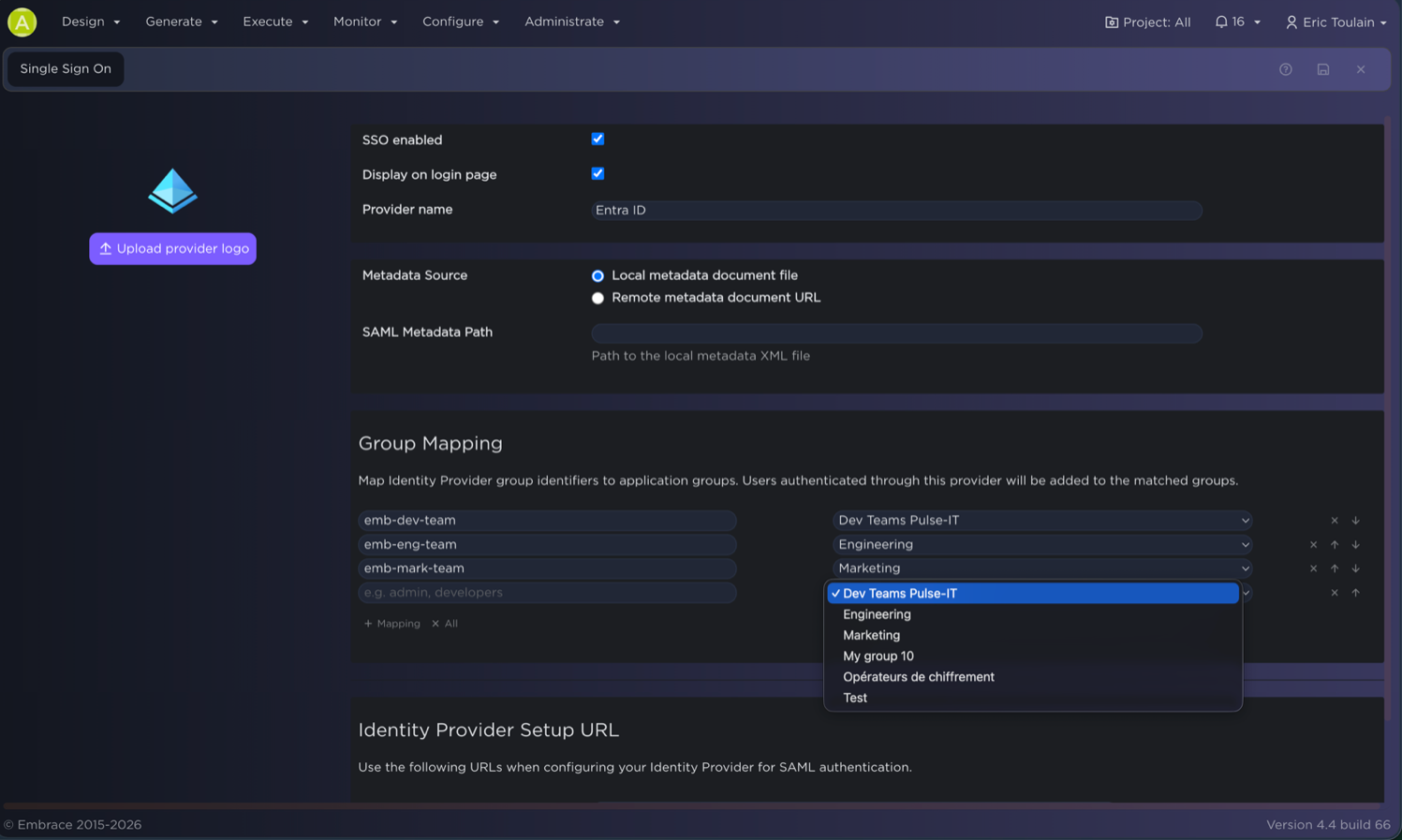
Nothing above is worth much if access to the platform is loose. User-specific API keys can be revoked one at a time, and authentication runs on JWT with basic auth switched off. SSO group mapping means who can do what follows your identity provider instead of a list someone maintains by hand. The infrastructure upgrades underneath are in the release notes, where they belong.

SSO group-mapping screen. Scrub the group names.

Around your MAM, not over it
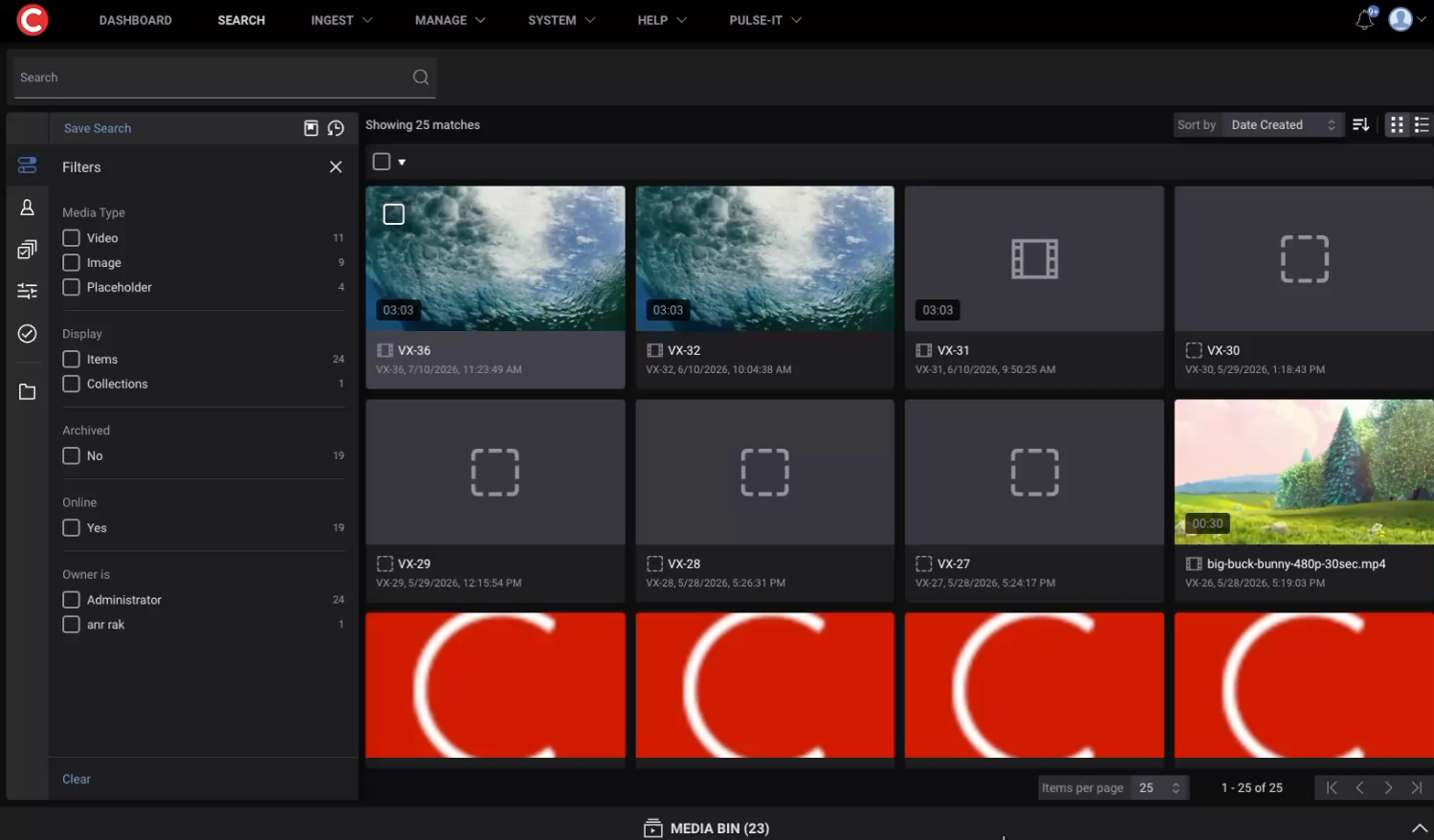
We are not in the connectors game. What matters is whether the operator has to leave the tool they already use.
And the integrations that matter most are the ones you own yourself. The spring update added an API connector importer: point it at an OpenAPI spec or a Postman collection and the operations come back as tasks you can drop into a workflow. A Signiant Media Shuttle spec turns into 23 of them in one import. AWS tasks gained assume-role support, Lambda and Step Functions, Secrets Manager, and pre-signed S3 URLs.

Cantemo interface with the Pulse-IT menu in the top bar. Strongest proof of the heading: the operator never left their MAM.
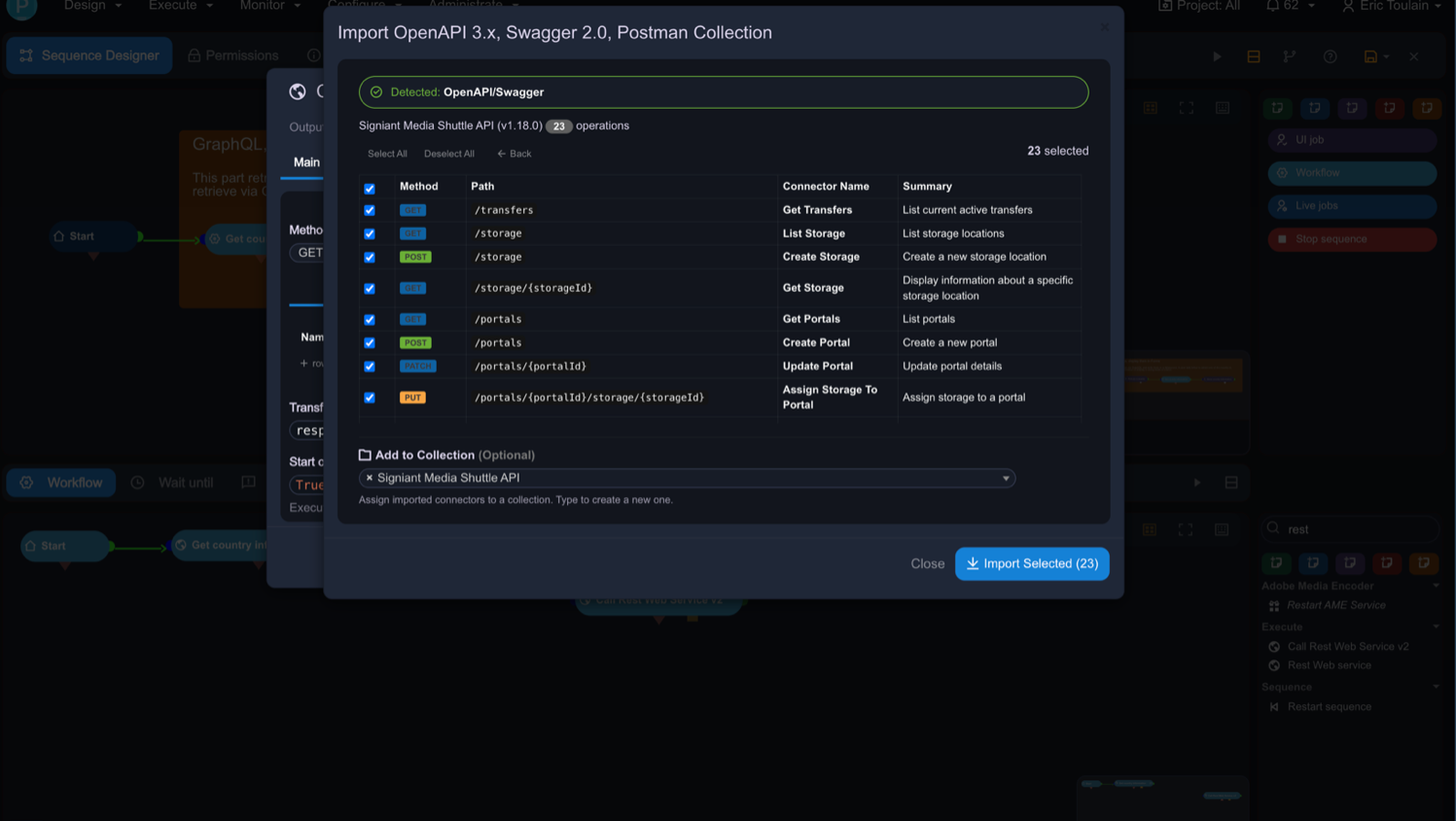
 

The OpenAPI import dialog showing 23 Signiant operations selected. Optional; use if the section runs long on text.

Embrace is the operating layer for media, running at major broadcasters and studios worldwide.


About Embrace

Embrace is the operating layer for media, running at major broadcasters and studios worldwide. Founded in 2015 and based in Boulogne-Billancourt, France, Embrace brings people, technology and processes together so media teams operate on their terms.

Its two products, Pulse-IT for media operations and Automate-IT for promo versioning and content automation, run in production at TF1, CANAL+, Disney-ABC News, RTL Nederland, Red Bee Media and Mercedes-AMG.

For more information, visit www.embrace.fr.

Contact Information:

Johan Bergström, Head of MarCom at Embrace| johan@embrace.fr